 Nileva

Running wholesale and retail in one store means one Shopify admin, one catalog and one stock count serve both retail shoppers and trade buyers, while each sees their own price. The alternative is a second store just for wholesale. This guide compares three setups (a separate wholesale store, one store with Shopify's native B2B, and one store with a wholesale app) on what they cost in a year, who gets trade prices, how private those prices stay and how you report B2B sales, and ends with a way to decide.
Key takeaways
- Advice to "add the Wholesale channel" comes from older guides: Shopify's Help Center no longer has a page for that channel. It documents Shopify B2B instead, available on the Basic, Grow, Advanced and Plus plans, in a shared store or a separate one.
- Below Plus, a separate wholesale store is a second paid Shopify plan, and Shopify says any apps you want there are paid for again.
- Shopify's "Restrict access to B2B customers only" setting is described for a dedicated B2B store; in a blended store it can send retail customers to a sign-in page.
- In one store with an app, target trade prices by customer tag or group, not "all customers" or "logged-in customers", so retail shoppers keep retail prices and retail orders stay out of your B2B report.
The real question: one store or two
Shopify gives the two setups names. "A blended store is a single Shopify store that's used for both B2B and D2C customers", while "a dedicated store is a separate Shopify store that's used only for B2B customers" (Shopify Help Center: choosing a store type).
The same page lists what changes. A blended store has one admin, one online store, one theme and shared inventory. A dedicated store has a separate admin, a separate B2B storefront and theme, and separate inventory. Shopify also warns that the choice is hard to undo: switching later means redoing most of your setup work.
Many older guides still tell you to install Shopify's Wholesale channel. Shopify's Help Center no longer has a page for that channel: its old help pages now open the Help Center home or the Shopify B2B section, and what Shopify documents today for selling to businesses is Shopify B2B, on the Basic, Grow, Advanced and Plus plans (Shopify B2B features by plan). If you read elsewhere that B2B needs Plus, that is out of date too; we cover what each plan includes in native B2B on non-Plus plans.
So the real choice is between three setups, not two: a separate store, one store with native B2B, or one store with an app.
Option 1: a separate wholesale store
A dedicated store is a whole second store. In Shopify's words, it "requires you to create a net-new Shopify store or adapt an existing expansion store". Shopify's pricing page lists free expansion stores as not included on Basic, Grow and Advanced, and up to 9 on Plus (Shopify pricing). Below Plus, then, the wholesale store is a second subscription.
The upside is simplicity. In a store where everyone is a trade buyer, the wholesale price is just the product's price: no rules, no tags, no masking. You can also close the store to the public. The password page hides "all of your online store's pages" from visitors and search engines (Shopify Help Center: password page), and a dedicated B2B store can turn on Restrict access to B2B customers only under Online Store → Preferences → Store access (Shopify Help Center: sign-in and customer accounts in B2B).
The costs are upkeep and duplication:
- Two catalogs. Every new product, photo, description and price change is made twice.
- Separate inventory. Shopify lists it as a feature of a dedicated store. How you keep stock counts aligned between two stores is outside this article.
- Apps twice. Shopify says that in a dedicated store "any apps or integrations that you want to use must be set up and paid for again."
What a second store costs in a year
Example: a shop on Shopify's Basic plan (the lowest plan with B2B) opens a second Basic store for wholesale. At the US prices on Shopify's pricing page, Basic is $25 a month billed monthly, or $19 a month billed yearly. The second store adds $25 × 12 = $300 a year, or $19 × 12 = $228 a year on yearly billing, before any app it needs a second time. Shopify notes that prices can differ by region, so check yours.
Option 2: one store with Shopify's native B2B
Shopify says you can "use one store for both B2B and direct-to-consumer (D2C) sales" (Shopify Help Center: B2B). Your trade buyers are set up as companies, and their prices come from catalogs.
A catalog lets you include or exclude products, apply percentage price adjustments and set fixed prices, and it reaches the company locations in a B2B market. On Basic, Grow and Advanced you can have up to 3 active catalog assignments across active B2B markets, and assigning one catalog to two markets counts as two. Plus has no such limit and can assign catalogs directly to company locations (Shopify Help Center: catalogs). Quantity rules, quantity price breaks and net payment terms are on all four B2B plans.
Two limits matter in a blended store. First, the B2B-only access setting doesn't fit: Shopify warns that in a blended store, "restricting access might redirect D2C customers to authentication on some pages", and asks you to test as both kinds of customer first. Second, a blended store shares more than its catalog. Shopify's store-type page lists the trade-offs: inventory can't be allocated by customer type, global tax settings apply to both B2B and D2C customers, and you can't send different types of notifications to the two.
Option 3: one store with a wholesale app
An app keeps your retail store as it is and adds trade prices on top. In Nileva B2B Wholesale Pricing, a wholesale pricing rule sets three things (Create a rule):
- The discount: Percent off, Amount off or Fixed price.
- Who gets it: All customers, Logged-in customers, Guest visitors, Customer tags or Customer groups, with an optional list of excluded customers. Market eligibility is on the Advanced plan.
- Which products: All products, Specific products, Specific collections or Product tags.
Customer Groups are named tiers. When you add a customer to a group, the app applies the group's Shopify customer tag to their account, and rules that target the group price them from then on. On the storefront, the B2B Prices app embed shows the buyer's price on product pages and on collection and search cards (app overview); when no rule matches a visitor, the theme's own retail price is left untouched. At checkout the discount is applied through Shopify's discount function, with no coupon code, so the price on the product page is the price paid. The app doesn't edit theme files; it works through an app embed and app blocks (FAQ).
The number of rules depends on the app plan: 1, 3, 20 or unlimited wholesale pricing rules on Free, Essential, Advanced and Platinum. Targeting by customer tag or group starts on Essential ($10 a month); the Free plan can target all customers, logged-in customers or guests.
The targeting trap in a blended store
In a store that sells only to businesses, "Logged-in customers" is a fine audience. In a blended store it is not: any retail shopper who creates an account becomes a logged-in customer and gets the trade price. "All customers" is worse, because every visitor gets it.
So in a shared store, aim trade rules at a customer tag or group. That is also how the app's reporting tells B2B from retail (see below). The Free plan only fits a blended store if every customer account in it belongs to a trade buyer. For the details of tags and groups, read our guide to prices by customer group.
Wholesale and retail in one store or two, side by side
This table puts the three setups next to each other. The Shopify cells come from the Shopify pages linked above; the app cells from the app's documentation.
| Factor | Separate wholesale store | One store, native B2B | One store, wholesale app |
|---|---|---|---|
| Extra Shopify plan | Yes below Plus (Basic: $25/month); Plus includes up to 9 expansion stores | No | No; app plans from Free to $80/month |
| Apps and inventory | Apps set up and paid again; separate inventory | Shared | Shared |
| Who gets trade prices | Anyone you let into that store | Company locations reached by a catalog | Customers matched by tag, group or login status; by market on Advanced |
| Limit below Plus | None beyond the second plan | 3 active catalog assignments | App rule quota: 1 / 3 / 20 / unlimited |
| Keeping the public out | Password page, or B2B-only access for the whole store | B2B-only access may send retail customers to sign-in | Masked prices on chosen products (Advanced) |
| B2B reporting | The whole store is B2B | Not covered in this article | B2B Analytics on every app plan |
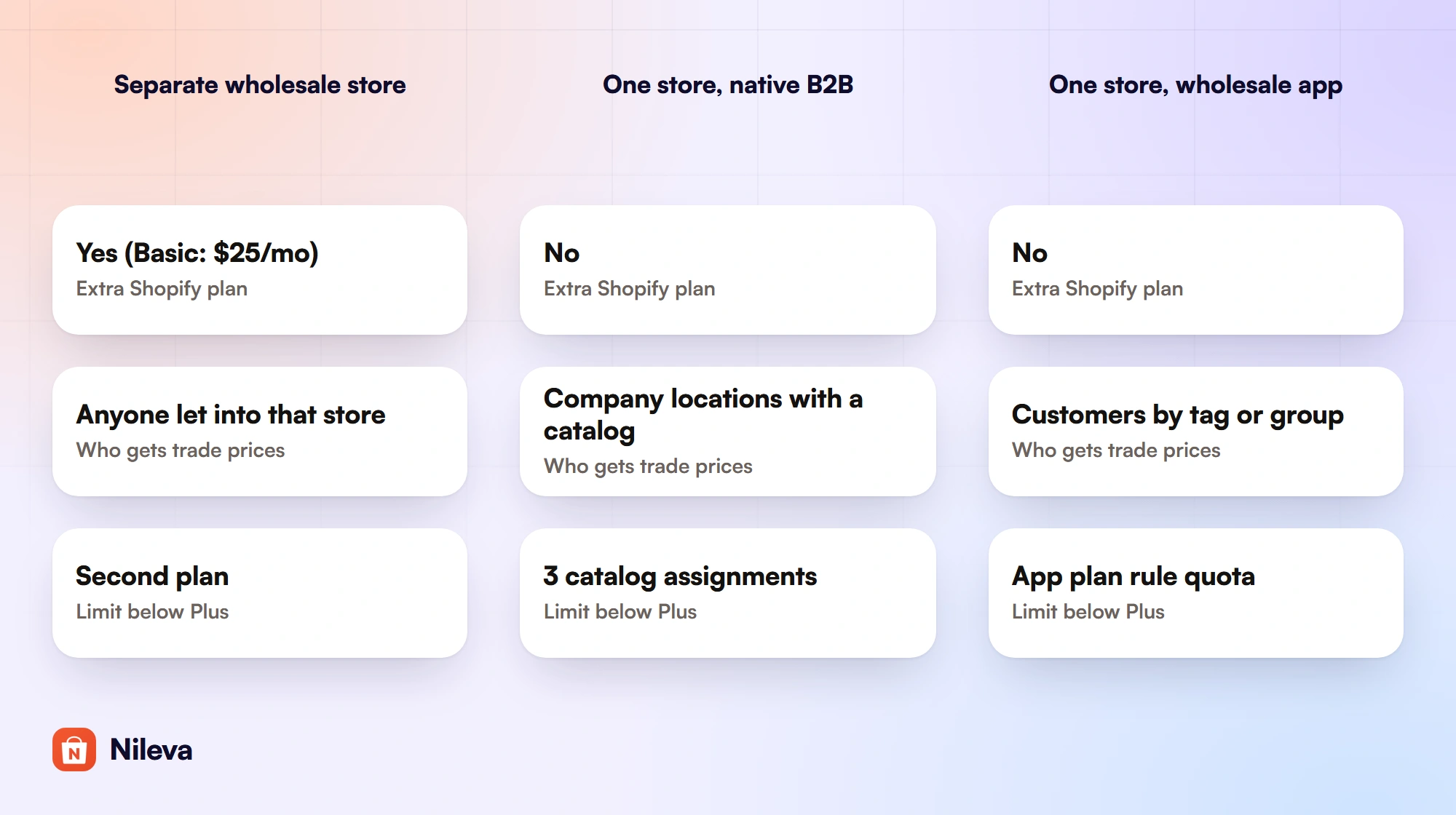
On cost alone, for one year at US list prices: a second Basic store is $300 billed monthly or $228 billed yearly. Native B2B adds nothing to a plan you already pay for. The app's Essential plan is $10 × 12 = $120 billed monthly or $84 billed yearly; Advanced, which adds masked prices, is $30 × 12 = $360 or $252 a year. The paid app plans come with a 7-day free trial, once per store.
Keeping retail shoppers away from trade prices
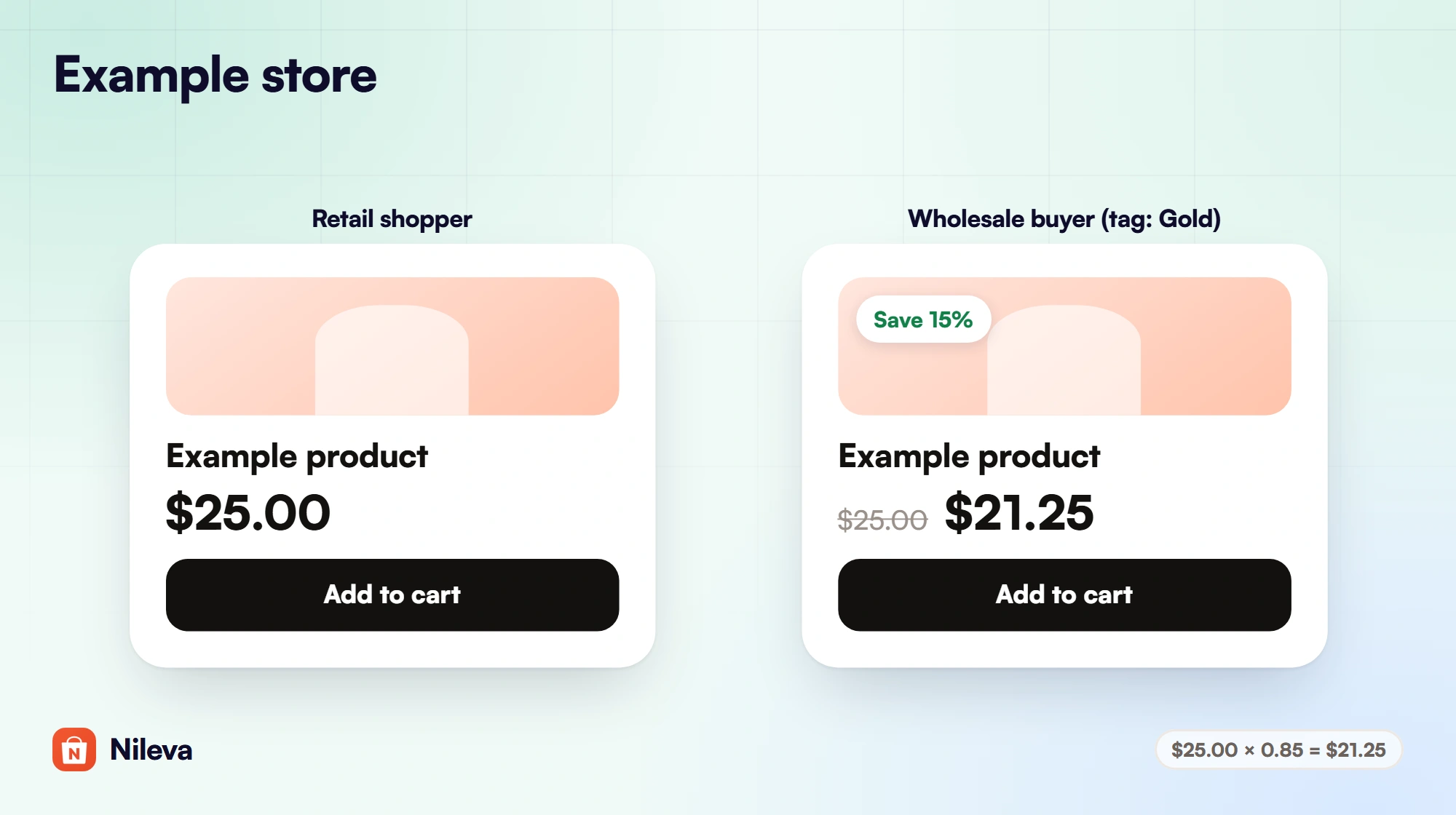
When rules target tags or groups, an untagged customer simply sees retail prices. Example: a product retails at $25.00 and your Gold group gets 15% off. The Gold buyer sees $25.00 struck through, $21.25 ($25.00 × 0.85) and a "Save 15%" badge; a retail shopper sees $25.00.
Some products should show no price at all to the public, such as bulk packs sold only to the trade. For those, the app's Catalog Visibility (Advanced plan) replaces the price with the currency symbol and a blurred XXX, plus an Unlock wholesale price button that leads to sign-in. You choose Hide price only or Hide price and block Add-to-cart, and an audience: Any logged-in customer or Specific B2B customer groups.
Scope it to trade products in a blended store
Catalog Visibility gates everyone outside the audience, and in a shared store that includes your retail shoppers. Set the scope to All products with a group audience and every retail shopper sees masked prices; in the blocking mode they can't buy at all. In a blended store, scope it to the trade-only items instead: a collection or a product tag such as your bulk packs, or All products with your retail lines on the Exclude list (product scope). Products outside the scope keep their normal price.
Be clear about what masking is. It changes what the page shows, in the browser. The page source still holds the theme's own price, and the app's storefront data lists your active rules with their discount types and values, so a technical visitor could work out a trade discount. If your trade prices must be truly confidential, a separate store behind the password page is the setup that keeps them out of reach. We go deeper in our guide to how to hide price until login.
Reporting B2B and retail separately in one store
Sharing a store raises a fair worry: will B2B sales vanish into the retail totals? The app tags each B2B order with nileva-b2b when it is placed, and its Analytics page (Orders → Analytics, on every plan including Free) reports on those orders, plus older orders carrying the app's previous tag (Analytics overview). An order counts as B2B if any one of these is true:
- The buyer is a contact of one of your Companies in the app.
- The buyer carries the tag of one of your Customer Groups.
- The buyer carries a tag that an active wholesale or volume pricing rule targets.
- The app's B2B pricing discounted the order.
The last line is why the targeting trap matters: with a rule for all customers, every discounted retail order lands in your B2B report. Orders that meet none of the four are retail and are left out, as are test orders and orders placed before you installed the app. Whether an order is B2B is decided when it is placed, so adding a customer to a group later doesn't change their earlier orders.
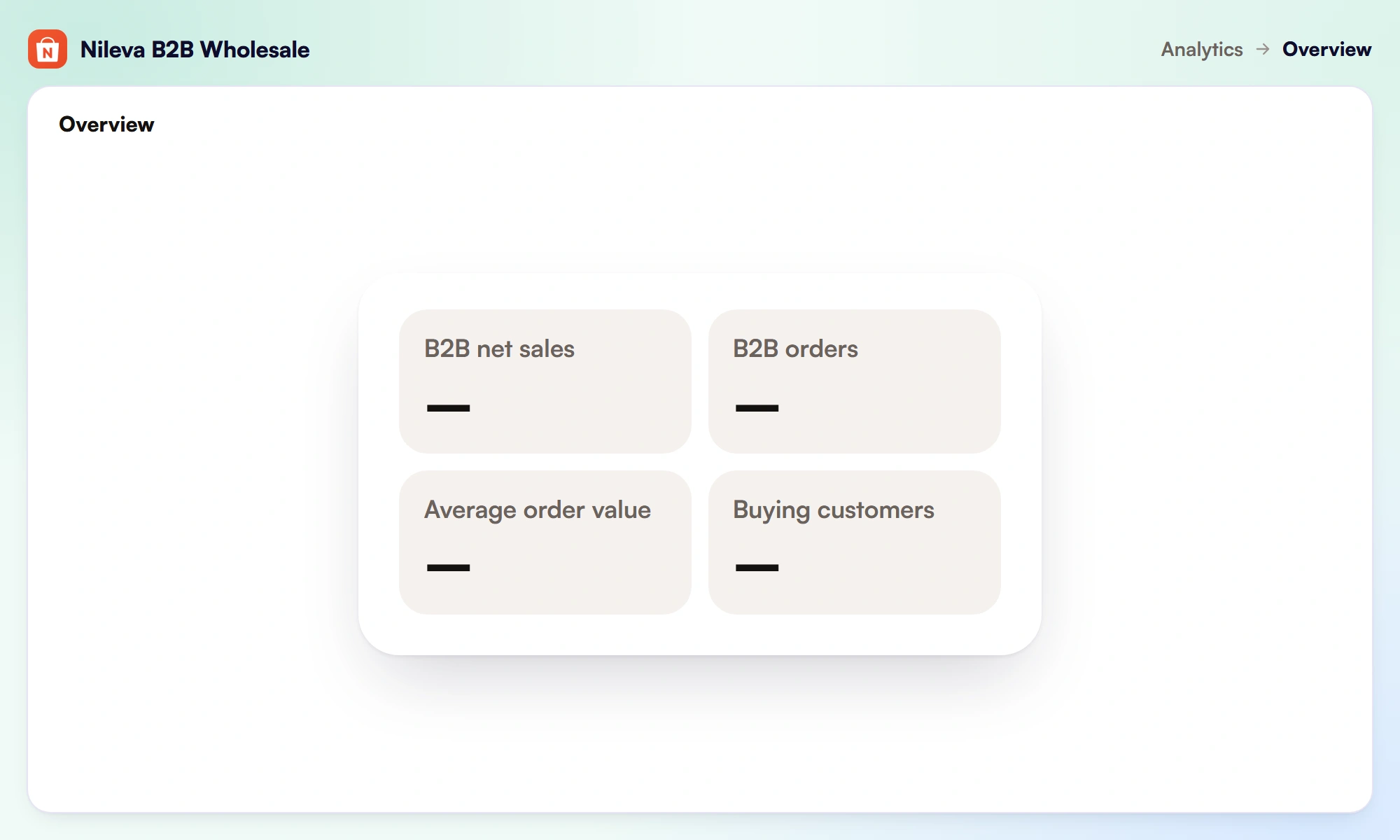
The page shows four tiles (B2B net sales, B2B orders, average order value and buying customers), compared with the previous period or the previous year, a breakdown by customer, customer group or company, and a CSV export. The figures are read from Shopify's own sales reports.
To see the same orders in Shopify, filter Orders by the tag nileva-b2b. Orders placed before the app renamed its tags carry orb2b-b2b, so search tag:nileva-b2b OR tag:orb2b-b2b to list them all.
How to decide
Work through these questions in order; the first one that gives a firm answer usually settles it.
Must trade prices stay confidential? If competitors must never be able to read them, put wholesale in a separate store behind the password page or B2B-only access. An app's masking keeps prices off the screen, but the page source still carries the theme's price and the app's rule data, so it is not a tool for secrecy.
Do the two sides need different stock, staff or branding? Shopify's own guidance points to a dedicated store when you want a separate B2B experience, distinct inventory, a gated store or different staff for each channel. If you sell the same products from the same stock, one store saves the second plan and the double upkeep.
Are you on Plus? Plus includes up to 9 expansion stores, unlimited catalog assignments and catalogs assigned directly to company locations, so both one store and two are open to you without extra plan fees.
Do you need net terms? Shopify lists net payment terms on all four B2B plans. If you want terms on orders your trade buyers place, read our guide to net 30 payment terms before you choose.
How do you want to price trade buyers? If your buyers fit companies and up to 3 catalog assignments, native B2B in one store costs nothing extra. If you would rather price by customer tag or group, mask prices on trade-only products, and see B2B sales apart from retail in one report, an app does that in the same store. Our Shopify wholesale pricing guide walks through the pricing side in detail.
Frequently asked questions
Can Shopify run wholesale and retail in one store?
Yes. Shopify B2B runs alongside retail in a blended store on the Basic, Grow, Advanced and Plus plans, and a wholesale app can give tagged trade buyers their own prices in the same store.
Do I need a separate store for wholesale?
No. A separate store is worth it when trade prices must stay confidential or when stock, staff or branding differ. Below Plus it means a second Shopify plan and paying for its apps again.
Will retail customers see wholesale prices?
Not when your rules target customer tags or groups: untagged customers see retail prices. Avoid "Logged-in customers" or "All customers" in a shared store, and remember that masking hides prices on screen, not from the page source.
What happened to the Shopify Wholesale channel?
Shopify's Help Center no longer has a page for it: its old help pages now open the Help Center home or the B2B section, and Shopify B2B is the feature set it documents for selling to businesses, on Basic and higher plans.
Can I see B2B sales separately from retail in one store?
Yes. The app's Analytics reports B2B net sales, orders, average order value and buying customers, per customer group, counting only the orders the app tagged as B2B (nileva-b2b, or orb2b-b2b on older orders).
Try it
Run wholesale and retail in one store, with each buyer seeing their own price.


