 Nileva

Shopify wholesale pricing by country means a trade buyer in Texas and one in Germany each pay a wholesale price set for their own market, in their own currency. This guide gives you Shopify's own plan table for Markets, a table of which prices convert to the buyer's currency and which stay fixed, and a worked two-market example with an app, plus the parts you should test before you rely on them.
Key takeaways
- Shopify's Markets requirements page lists regional and B2B markets and product catalog customization on every plan; below Plus, B2B markets share up to 3 catalogs.
- To sell B2B in several currencies, Shopify's B2B page says you must use Shopify Payments.
- A fixed price in a catalog stays as you set it; a percentage adjustment is converted at the exchange rate.
- In B2B Wholesale Pricing a rule can be limited to specific markets. Fixed price and Amount off values are typed in your store currency and converted at Shopify's rate; Percent off applies to the price the buyer's market shows.
- The app applies the market setting at checkout, not on the product page, so give each market's rule its own customer tag and test a cart in each market and currency through to checkout.
What Shopify Markets allows on each plan
Agency and app blogs disagree on whether per-market wholesale pricing needs Shopify Plus. Shopify answers it in a table on its Markets requirements and considerations page. Here are the rows that matter for wholesale, as that page showed them when we checked.
| Markets feature | Basic | Grow | Advanced | Plus |
|---|---|---|---|---|
| Create regional, B2B and channel markets | Yes | Yes | Yes | Yes |
| Customize product catalogs and currencies per market | Yes | Yes | Yes | Yes |
| Catalogs across all B2B markets | Up to 3 | Up to 3 | Up to 3 | No limit stated |
| Domains and languages per market | Yes | Yes | Yes | Yes |
| Discounts for specific markets | Yes | Yes | Yes | Yes |
| Manage duties and taxes per market | Yes | Yes | Yes | Yes |
| Themes, checkout and accounts pages per market | No | No | Yes | Yes |
| Checkout blocks and business entities per market | No | No | No | Yes |
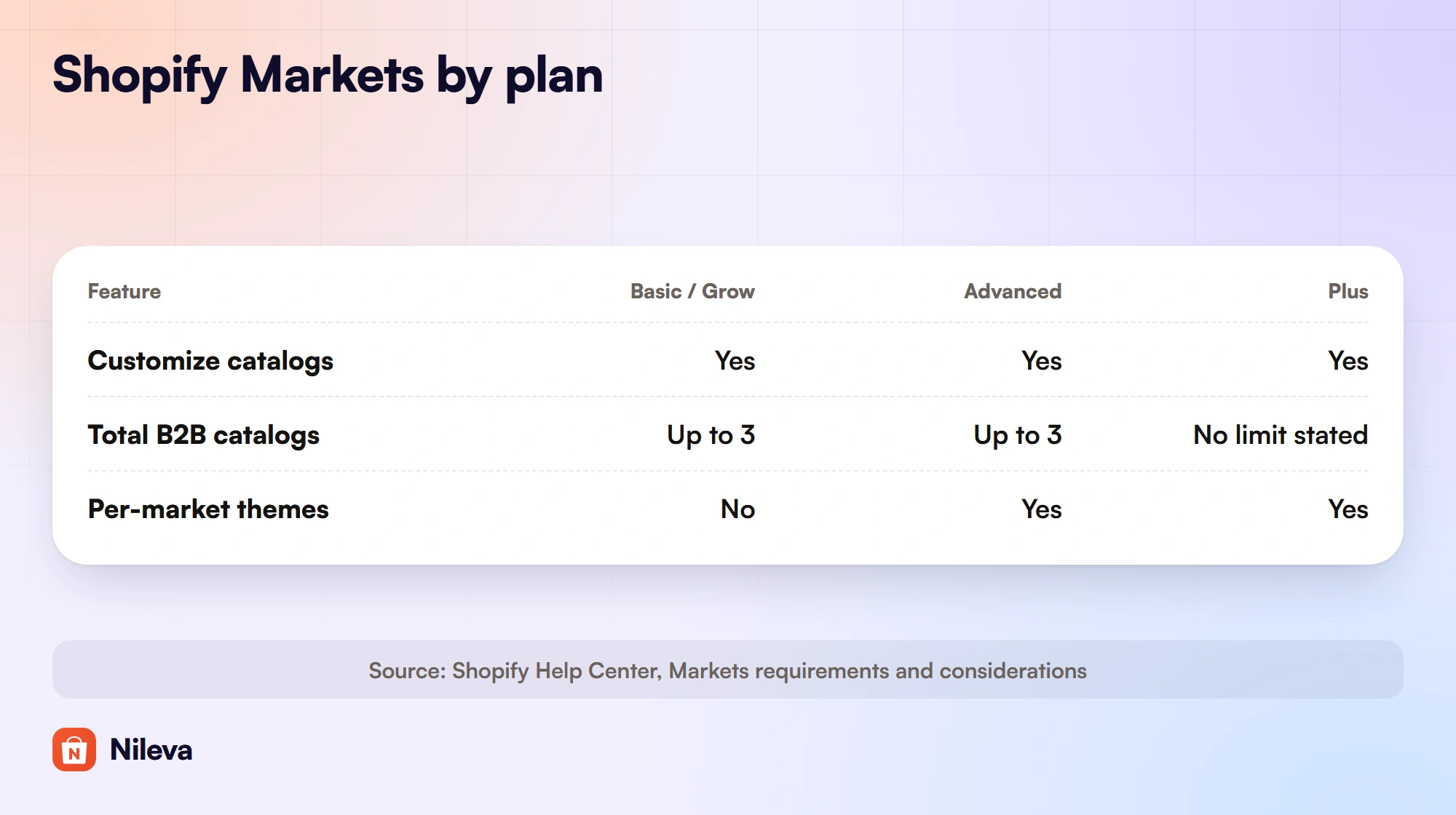
Three notes on reading it. Shopify's table puts Starter in the same column as Basic, but Shopify B2B itself starts on Basic, not Starter (B2B features by plan). Below Plus, customizing the catalog of a retail market needs POS Pro; regional and B2B markets don't. And in Shopify's words, "Creating Regional markets to help you to sell internationally is free for all Shopify plans."
So the honest answer is: different prices per country are not a Plus feature. What Plus adds is room (no stated catalog limit for B2B markets) and per-market checkout control.
Wholesale prices per country with native B2B
Shopify's own route uses B2B markets. You set up your trade buyers as companies with company locations, group the locations into B2B markets, and assign a catalog to each market. A catalog can raise or lower every price by a percentage, and you can set a specific price for single products. Shopify's catalog page is clear about which one wins: "When you manually set a price for a product in a catalog, the price that you set overrides the overall price adjustment."
A catalog also has a currency, chosen in its "Set prices in" field. That does not decide what the buyer pays in: "Customers browse and pay in the currency of their market, regardless of the catalog currency." For a B2B order, the market is set by the buyer's shipping address, and so are the taxes and duties (Selling internationally in B2B).
The limit to plan around is the catalog count. Below Plus you get up to 3 catalogs across all your B2B markets, so a US price list, an EU price list and a UK price list already use them all. Our guide to 3 catalogs below Plus explains how the assignments are counted and what else changes on each plan.
Which prices convert and which stay fixed
This is where most cross-border price lists go wrong. Some prices follow the exchange rate every day; others never move. The table sorts them, with the source for each row.
| Price | Where you set it | What a buyer in another currency pays | Source |
|---|---|---|---|
| Fixed price in a B2B catalog | Shopify catalog, in the catalog's currency | The price as set; Shopify says these "aren't adjusted" | Shopify B2B international page |
| Percentage adjustment in a catalog | Shopify catalog | Converted at automatic or manual exchange rates | Shopify B2B international page |
| Fixed amount discount | Shopify discounts | Can be created only in the store's default currency | Shopify Markets requirements page |
| App rule: Percent off | B2B Wholesale Pricing | The percentage of the price the buyer's market shows | App docs: per-country pricing |
| App rule: Fixed price or Amount off | B2B Wholesale Pricing, in your store currency | Converted at Shopify's market rate | App docs: per-country pricing |
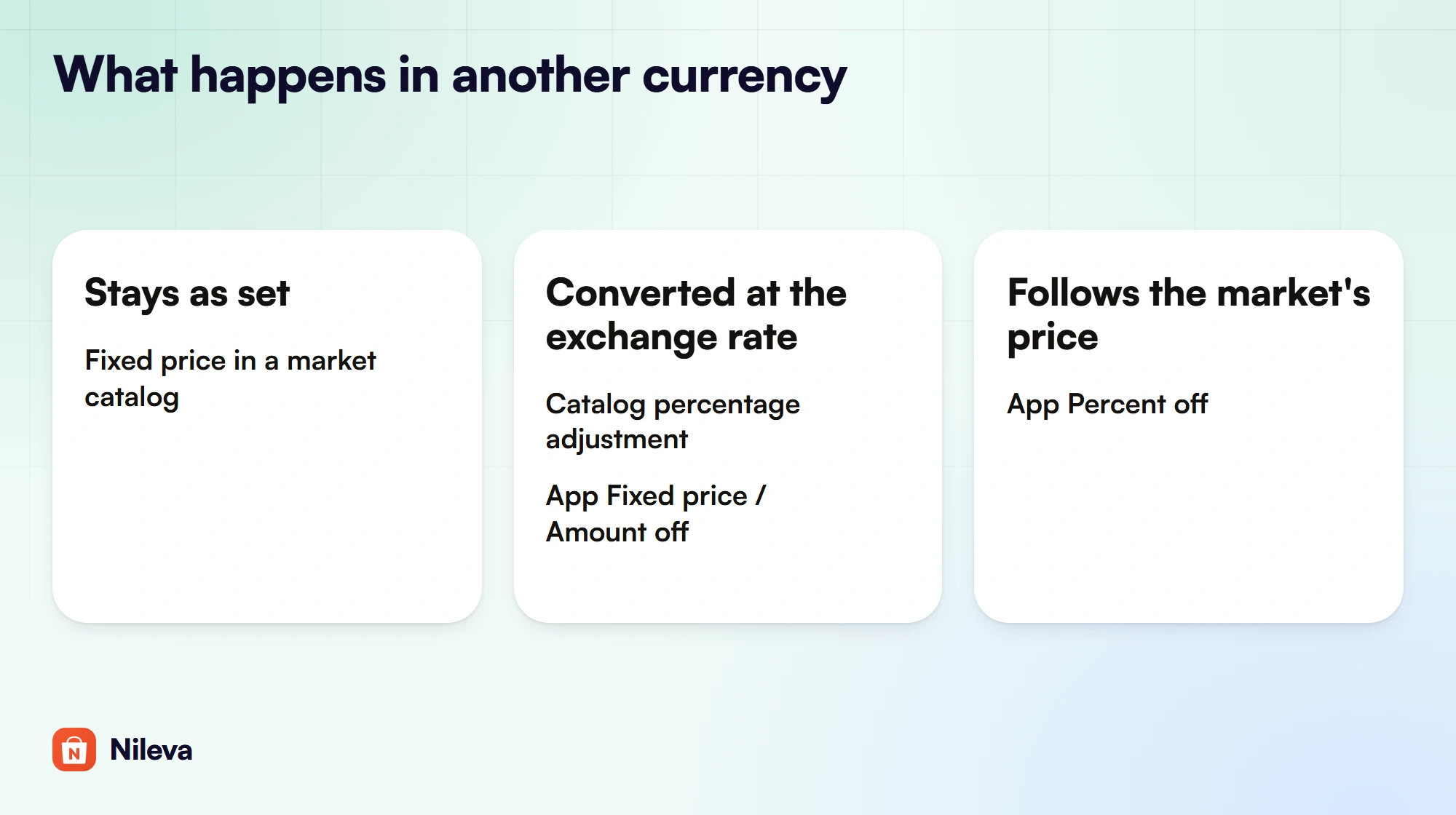
Two more details from Shopify's B2B page are easy to miss. First, "Rules for rounding prices that you set in your Markets page don't apply to B2B customers", so converted B2B prices are not rounded the way your retail prices in that market may be. Second, a B2B draft order keeps the exchange rate of the moment it was created: "This rate is fixed and used on the invoice regardless of whether the exchange rate changes." Editing a saved draft updates the whole order to the rate of that moment.
Payment processors and currencies
Shopify's Markets page says that to accept payments in several currencies you need Shopify Payments or Adyen; with any other processor, customers in all markets pay in your store's default currency. The B2B page is stricter: "To sell in multicurrency using B2B, you must be using Shopify Payments." If your wholesale buyers order through native B2B, plan on Shopify Payments.
Shopify wholesale pricing by country with an app
Native catalogs price companies. If your trade buyers are ordinary customer accounts with a tag, or you have used up your three B2B catalogs, a pricing app can do the per-country part instead. In B2B Wholesale Pricing, every wholesale rule has a market setting next to its customer and product settings. The rule applies to All markets (the default) or to Specific markets you choose from the markets set up in Shopify (Settings → Markets). Limiting a rule to specific markets needs the app's Advanced plan ($30 a month, with a 7-day free trial once per store).
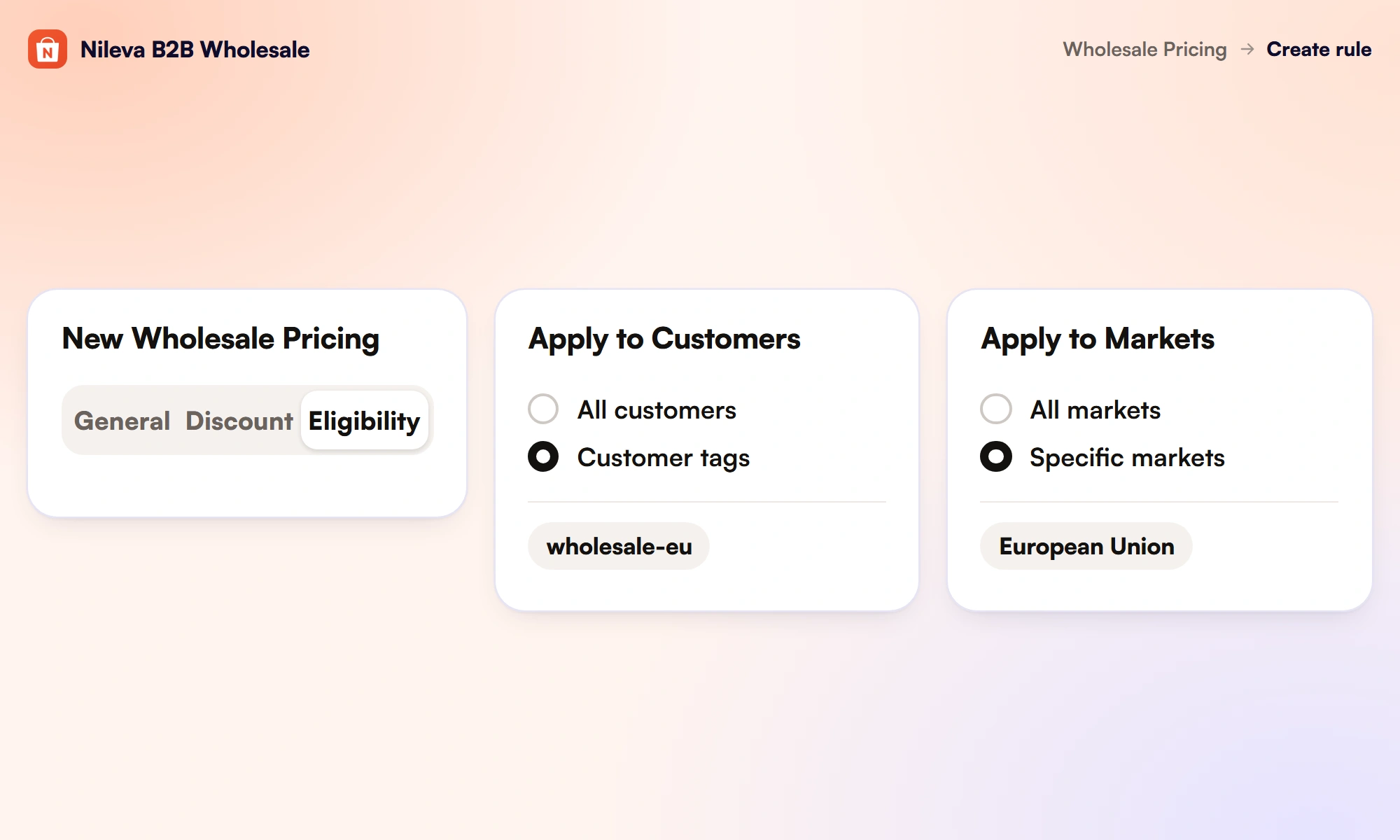
In the rule editor the setting sits on the Eligibility tab under the heading Apply to Markets; the per-country pricing docs call it Market eligibility. Three behaviours follow from it:
- All conditions must match. Customer, product and market are combined, so at checkout an EU-only rule does nothing for a wholesale buyer shopping in the US market.
- No match means no rule. At checkout, a buyer whose market matches no specific-market rule pays retail prices, or any rule set to All markets.
- The market is checked at checkout, not on the product page. The checkout discount reads the buyer's market and skips rules limited to other markets. The app's price display on the storefront doesn't read the market, so a product page can show a rule meant for another market. Give each market's rule its own customer tag or group as well, as in the example below, and check prices at checkout.
Currency works like this. You type Fixed price and Amount off values in your store's own currency, and the admin shows that currency next to each price field. For a buyer paying in another currency, the app converts your value at Shopify's market rate. The docs' example: a "fixed price 50" rule on a EUR store is €50 for everyone, so a buyer paying in Swedish kronor sees the kronor equivalent of €50, not 50 kronor. Percent off needs no conversion, because a ratio carries no currency. The storefront volume table, the app embed and the checkout all convert the same way, so currency alone never makes the product page and the checkout disagree.
One naming note: the editor's Discount type list reads Percent, Amount and Fixed amount; the rule summary says Percentage off, Amount off and Fixed price, and the docs say Percent off. They are the same three options. For the rest of the rule (tags, groups, products, priority), see our guide to prices by customer tag or group.
Give each market its own rule
Example: a store that sells in US dollars has a tote with a retail price of $32.00. Its EU market shows the tote at €29.00, a price set in that market's catalog. US trade buyers carry the customer tag wholesale-us, EU trade buyers wholesale-eu. The exchange rate is assumed for the example: 1 USD = 0.90 EUR.
| Rule | Apply to Customers | Apply to Markets | Discount | US wholesale buyer pays | EU wholesale buyer pays |
|---|---|---|---|---|---|
| Wholesale (domestic) | Customer tags: wholesale-us | Specific markets: United States | Percent off 50 | $32.00 × 0.50 = $16.00 | Not eligible |
| Wholesale (EU) | Customer tags: wholesale-eu | Specific markets: European Union | Fixed price 17.50 | Not eligible | $17.50 × 0.90 = €15.75 |
The two rules never overlap: each has its own market and its own tag. With the app embed's Strikethrough display, the EU buyer sees €29.00 struck through next to €15.75, and pays €15.75 at checkout.
Why two tags and not one shared wholesale tag? The market setting alone would still price the checkout correctly, but the product page doesn't check the market. An EU buyer would match both rules there, and the display would pick the lower price, €14.50 from the US rule, while checkout charges €15.75. The tag keeps the page and the checkout in step, as long as each buyer shops in their own market.
The choice of discount type matters more than it looks. With a Percent off 50 rule in the EU instead, the EU buyer would pay half of the market's price: €29.00 × 0.50 = €14.50. And because the Fixed price is held in dollars, its euro value moves with Shopify's rate. If the rate became 0.94, the same rule would charge $17.50 × 0.94 = €16.45.
- Use Fixed price when your trade price is tied to a cost in your store currency and should be the same dollar price in every market. Amount off keeps the same dollar discount instead, taken off each market's own price.
- Use Percent off when the trade price should follow the price you show in that market, for example a catalog price you set in euros.
To build the setup:
- In Shopify, set up the markets you sell to under Settings → Markets.
- In the app, open Wholesale Pricing and click Create wholesale pricing.
- On the General tab, name the rule and choose its products; on the Discount tab, set the type and value.
- On the Eligibility tab, set Apply to Customers to Customer tags (
wholesale-us), then set Apply to Markets to Specific markets and pick United States. - Save, then repeat for the EU rule with its own tag, market and discount.
Check which rule wins in each market
If you also keep a rule set to All markets for the same buyers, both rules can match a buyer in the EU. The app then uses its usual order: it scores how specific each rule is first, then picks the better price, and uses the priority number only as the final tie-break. The app's changelog warns about one effect of that order: a more specific rule can win even when its price is worse. Don't assume the market rule wins; check it.
There are two ways to check. Open the storefront in each market as a test buyer with the tag and go as far as checkout: the product page doesn't apply the market setting, the checkout does. Or, in Shopify admin, open a draft order for that buyer and use More actions → Apply B2B pricing: pick the market in Apply to market and click Preview. The preview lists the rules that would apply, or says "No eligible discount found" (Apply B2B pricing to a draft order). Keep a market selected: if you set the picker back to "Choose market", the market check is skipped and every specific-market rule counts. The picker doesn't change the draft's own market, and each discount is worked out from the product's price in the draft's currency. For the plan that includes this action, see the plans on the app page.
Minimums and tiers across currencies
If you use amount-based volume tiers or a minimum order value, test a cart in each currency you sell in before you rely on them for buyers abroad. Quantity rules carry no currency, and our guide to minimums covers how each kind of minimum is counted and enforced.
Tax for cross-border trade buyers
On native B2B orders, Shopify sets taxes and duties from the buyer's shipping address, and its requirements page lists managing duties and taxes per market on every plan. Get your market and tax settings right in Shopify first; a wholesale pricing rule doesn't change them.
For EU business buyers, the app's Tax-exempt customers feature (Platinum plan) records a VAT number, checks it against the EU's VIES service, and on approval sets an exemption such as EU reverse charge on the Shopify customer, after which Shopify calculates the tax. Our article on EU reverse charge walks through it.
Whether a sale abroad is zero-rated, reverse-charged or taxed depends on your registrations and the buyer's status. Confirm your obligations with a tax adviser before you exempt anyone.
Reading results by market and currency
The app's Analytics page (Orders → Analytics, on every plan, including Free) shows B2B net sales, orders, average order value and buying customers. If your store sells in more than one currency, a Currency button lets you read every figure in any of them, and Shopify converts each order at that order's own rate. The Analytics docs add two cautions: converted figures show the value of your sales, not the exact cash received in each currency, and the CSV export doesn't name the currency, so note which one you picked. To compare wholesale sales with the rest of your orders, see our guide to Shopify B2B reports.
One last limit: storefront text such as button labels and table headers is translated per store language, not per market. For the full picture of rules, tiers and checkout, start with the wholesale pricing guide.
Frequently asked questions
Can I set different wholesale prices per country on Shopify without Plus?
Yes. Shopify's requirements page lists B2B markets and product catalog customization on every plan, with up to 3 catalogs across B2B markets below Plus. In B2B Wholesale Pricing, a rule can also be limited to specific markets on the app's Advanced plan.
Do wholesale prices convert to the buyer's currency?
Fixed prices in a Shopify catalog stay as you set them, while percentage adjustments are converted at the exchange rate. In the app, Fixed price and Amount off values convert from your store currency at Shopify's rate, and Percent off applies to the price the buyer's market shows.
Do I need Shopify Payments to sell B2B in several currencies?
Shopify's B2B international page says yes: "To sell in multicurrency using B2B, you must be using Shopify Payments." For stores in general, its Markets page adds that with a processor other than Shopify Payments or Adyen, buyers in every market pay in your store's default currency.
Which rule applies when a buyer matches two market rules?
The app scores how specific each rule is first, then picks the better price, then uses priority as the tie-break. Test each market with a buyer account or with the Preview in Apply B2B pricing before you go live.
Can I see wholesale sales in each currency?
Yes. The app's Analytics page can show every figure in any currency your store sells in, converted at each order's own rate.
Try it
Give each market its own wholesale rule, converted from your store currency.


