 Nileva

Shopify B2B without Plus is now possible: since April 2026, Shopify's own B2B tools are part of the Basic, Grow and Advanced plans, not only Plus. That changes the answer many merchants were given when they first asked about wholesale. This guide explains what each plan includes, row by row from Shopify's plan table, the limits that remain below Plus, what the price gap actually is, and where a wholesale app fills in what native B2B doesn't cover on your plan.
Key takeaways
- Shopify B2B runs on Basic, Grow, Advanced and Plus. It is not on Starter or Retail (Shopify plan features).
- Below Plus you get 3 catalog assignments to B2B markets and no catalogs assigned directly to a company location.
- Net terms, quantity rules and quantity price breaks are on all four B2B plans.
- A wholesale app adds pricing by customer tag or group, prices hidden from guests and an application form with approval, on any plan.
What changed: Shopify B2B is no longer Plus-only
For years, "native B2B" on Shopify meant Shopify Plus. On 2 April 2026, Shopify announced that key B2B features were now available on Basic, Grow and Advanced at no extra cost (Shopify changelog). The announcement lists company profiles, payment terms, volume pricing, ACH payments in the US, vaulted credit cards and up to 3 active B2B catalogs.
So if an older article, a forum answer or a sales call told you that B2B needs Plus, it was describing the rules before that date. Some of the pages that still rank for this question were written earlier and haven't been updated.
Which Shopify plans include B2B
Shopify's help page is direct: "Shopify B2B is available on the Basic, Grow, Advanced, and Shopify Plus plans." It isn't available on the Starter or Retail plans. If you sell on Starter today, you would move to Basic or higher to use B2B at all.
All four plans share the same core: companies, company locations, catalogs, payment terms and quantity rules. What differs is how far each one goes, and that is what the next two sections map.
What happened to the Wholesale channel
Before B2B, Shopify offered a separate Wholesale sales channel. Shopify's Help Center no longer has a page for it: its old help page now opens the Shopify B2B section, and Shopify's B2B glossary says "Wholesale and B2B are used interchangeably within Shopify" (B2B terminology). In practice, B2B is the wholesale tool Shopify supports today, and it runs inside your main store rather than as a separate channel.
Shopify B2B without Plus: the feature map
This table follows Shopify's own plan table. "Yes" means the plan includes the feature; a number is the plan's limit.
| Feature | Basic | Grow | Advanced | Plus |
|---|---|---|---|---|
| Companies and company locations | Yes | Yes | Yes | Yes |
| Catalog assignments to B2B markets | 3 | 3 | 3 | Unlimited |
| Direct company catalogs | No | No | No | Yes |
| Quantity rules and quantity price breaks | Yes | Yes | Yes | Yes |
| Net terms and payment reminders | Yes | Yes | Yes | Yes |
| Deposits, partial payments | No | No | No | Yes |
| Draft order to invoice, checkout to draft | Yes | Yes | Yes | Yes |
| Quick order list, easy reorders | Yes | Yes | Yes | Yes |
| Sales staff permissions | No | Yes | Yes | Yes |
| Contextual storefront and checkout (Markets) | No | No | Yes | Yes |
Source: Shopify plan features for B2B, checked on 2026-11-06.
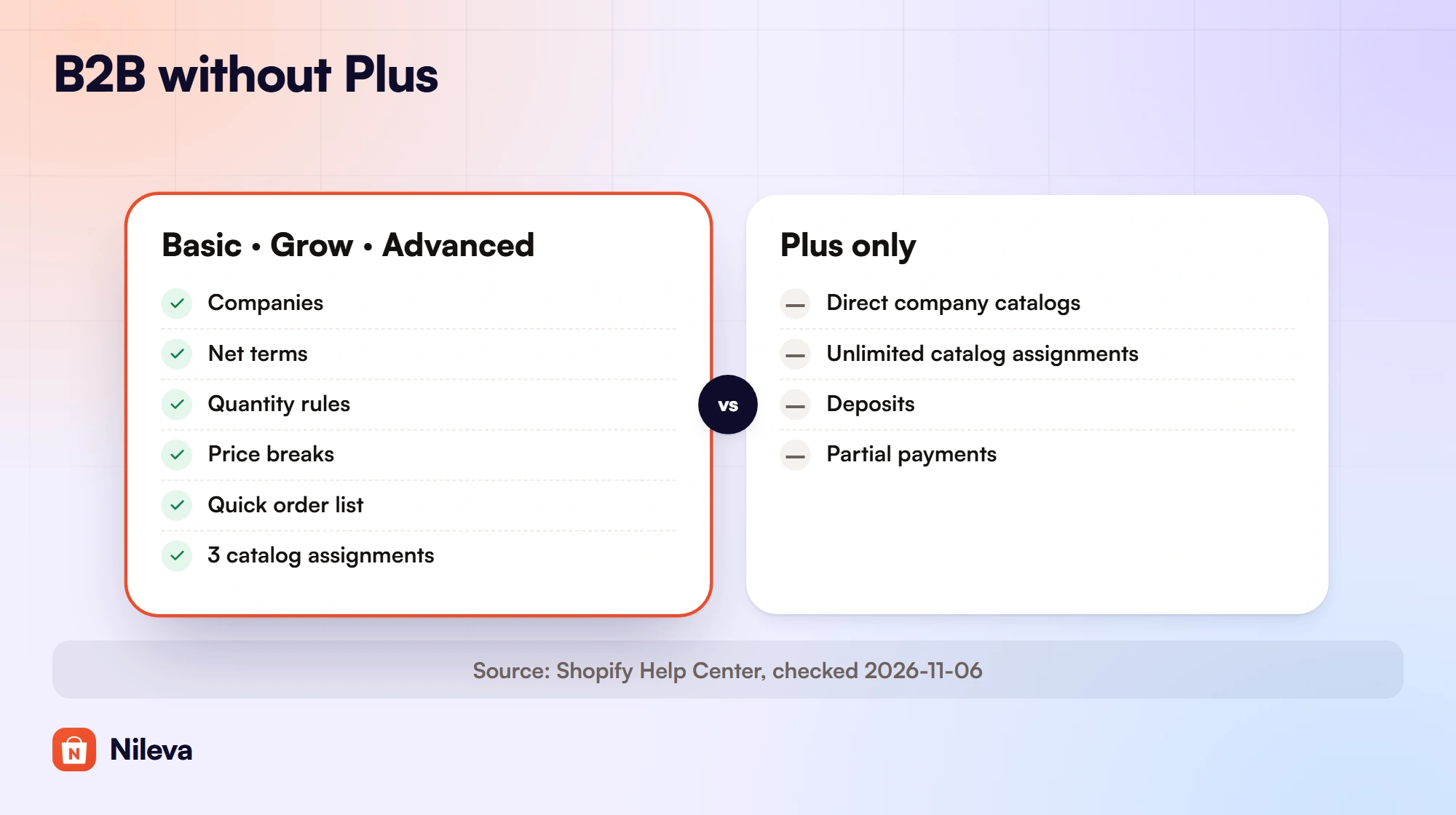
Read the rows as what your buyers get:
- Accounts. Every plan lets you set up a buyer's business as a company with locations, and decide which people can order for each location.
- Prices. Catalogs set the products and prices a company sees, and quantity price breaks lower the unit price on bigger orders. The number of catalog assignments is the main limit below Plus.
- Paying. Net terms and payment reminders are on every plan, and so are ACH in the US and vaulted cards. Deposits and partial payments are Plus only.
- Ordering. Draft orders can become invoices, a buyer's checkout can become a draft for you to review, and the quick order list and easy reorders are on every plan. Shopify's Trade theme and Shopify Flow with B2B objects are on all four plans too.
- Staff and storefront. Sales staff permissions start on Grow. Tailoring the storefront and checkout by market starts on Advanced.
The limits that remain on Basic, Grow and Advanced
Most of the table says "Yes" on every plan. The few "No" cells are where a growing wholesale business will notice the difference, so it is worth knowing exactly what each one means.
Three catalog assignments, no direct company catalogs
A catalog is Shopify's B2B price list. It can include or exclude products, adjust prices by a percentage and set fixed prices (B2B catalogs). It can also carry quantity price breaks: up to 10 per product, applied to each variant, so the buyer must reach the quantity on each variant to qualify (quantity pricing).
Below Plus, catalogs are assigned to B2B markets, and the company locations in that market buy at the catalog's prices. You get 3 assignments, and each active market counts separately: one catalog assigned to two markets uses two of the three. What you can't do below Plus is assign a catalog directly to one company or location.
The practical result: on Basic, Grow and Advanced you can run a few price levels, such as "trade" and "distributor", across your company buyers. Shopify's announcement keeps "unlimited catalogs for customer-specific pricing" on Plus, so a separate negotiated price list for each of many companies is natively a Plus feature.
Deposits, partial payments and checkout payment-term Functions
Net terms work on every plan, but a few payment tools are Plus only. Shopify lists deposit requirements, partial payments and payment requests per fulfillment as Plus features. Its payment terms page puts it plainly: "Deposit requirements are available only on the Shopify Plus plan" (B2B payment terms).
There is also a developer-level limit. A Payment Customization Function can set payment terms during checkout, but that operation, paymentTermsSet, "is only available on stores with the Plus plan" (payment customization API). Terms set on the company location or on a draft order are not affected; they are on every B2B plan. Our guide to net 30 terms on Shopify goes through the options.
Contextual storefront and checkout need Advanced
On Basic and Grow, you can't tailor the theme or the checkout settings to a B2B market. From Advanced, Shopify lets you "adapt your online store experience for different customers by editing sections and blocks or app embeds specific to a market", and a market can be a B2B market (store contextualization). Changing the theme by customer type, rather than by market, is Plus only.
Is Shopify Plus worth it for B2B? A cost check
The table above shows what Plus adds. Here is what it costs at list price, as published on 2026-11-06.
| Plan | Billed monthly | Billed yearly (per month) | B2B catalog assignments |
|---|---|---|---|
| Basic | $25 | $19 | 3 |
| Grow | $65 | $49 | 3 |
| Advanced | $399 | $299 | 3 |
| Plus | from $2,300 | not listed | Unlimited |
Prices from Shopify pricing, in USD; they vary by region, so check the page for your country on the day you decide.
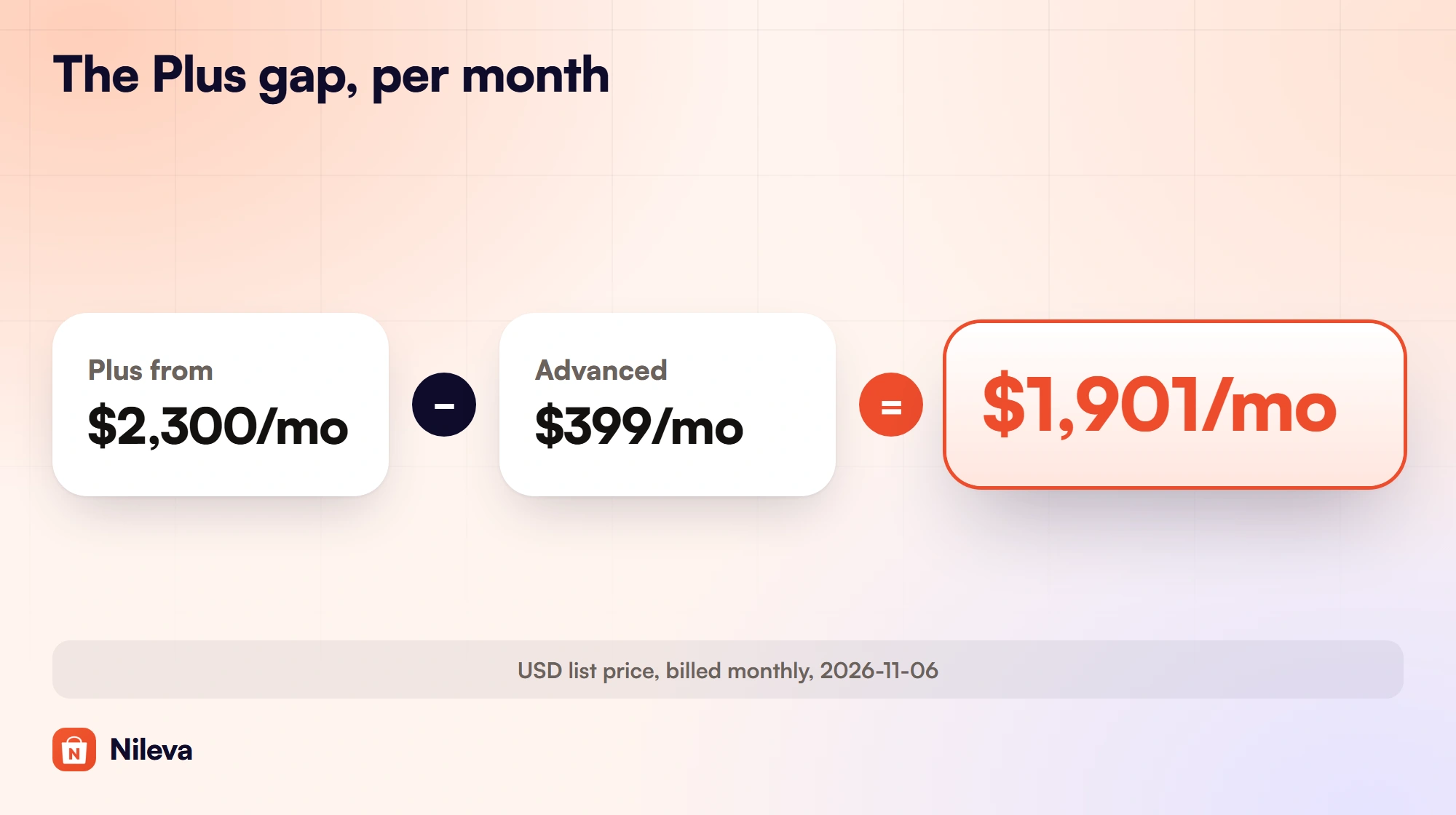
On monthly billing, moving from Advanced to Plus adds at least $2,300 − $399 = $1,901 a month. From Basic, the step is $2,300 − $25 = $2,275 a month. Over twelve months of monthly billing, that is $1,901 × 12 = $22,812 a year between Advanced and Plus. Advanced is cheaper again on yearly billing ($299 × 12 = $3,588 a year), while Shopify's page gives Plus only as a monthly starting price, so the yearly gap for your store depends on the Plus quote you receive.
For comparison, the wholesale app discussed below starts at $0 on its Free plan, and its Advanced plan is $30 a month.
That gap is not a verdict. A store that needs a separate price list per company, deposits or partial payments, and has the sales to carry it, may find Plus pays its way. A store whose need is "trade buyers see a lower price" can usually start on the plan it already has. Look at the "No" rows in the feature map and ask which ones your buyers actually require.
What a wholesale app adds on any plan
Native B2B is built around companies and catalogs. A wholesale pricing app works from rules instead, and "stores on any plan can use public apps that are distributed through the Shopify App Store and contain functions" (Shopify Functions). With B2B Wholesale Pricing, that means:
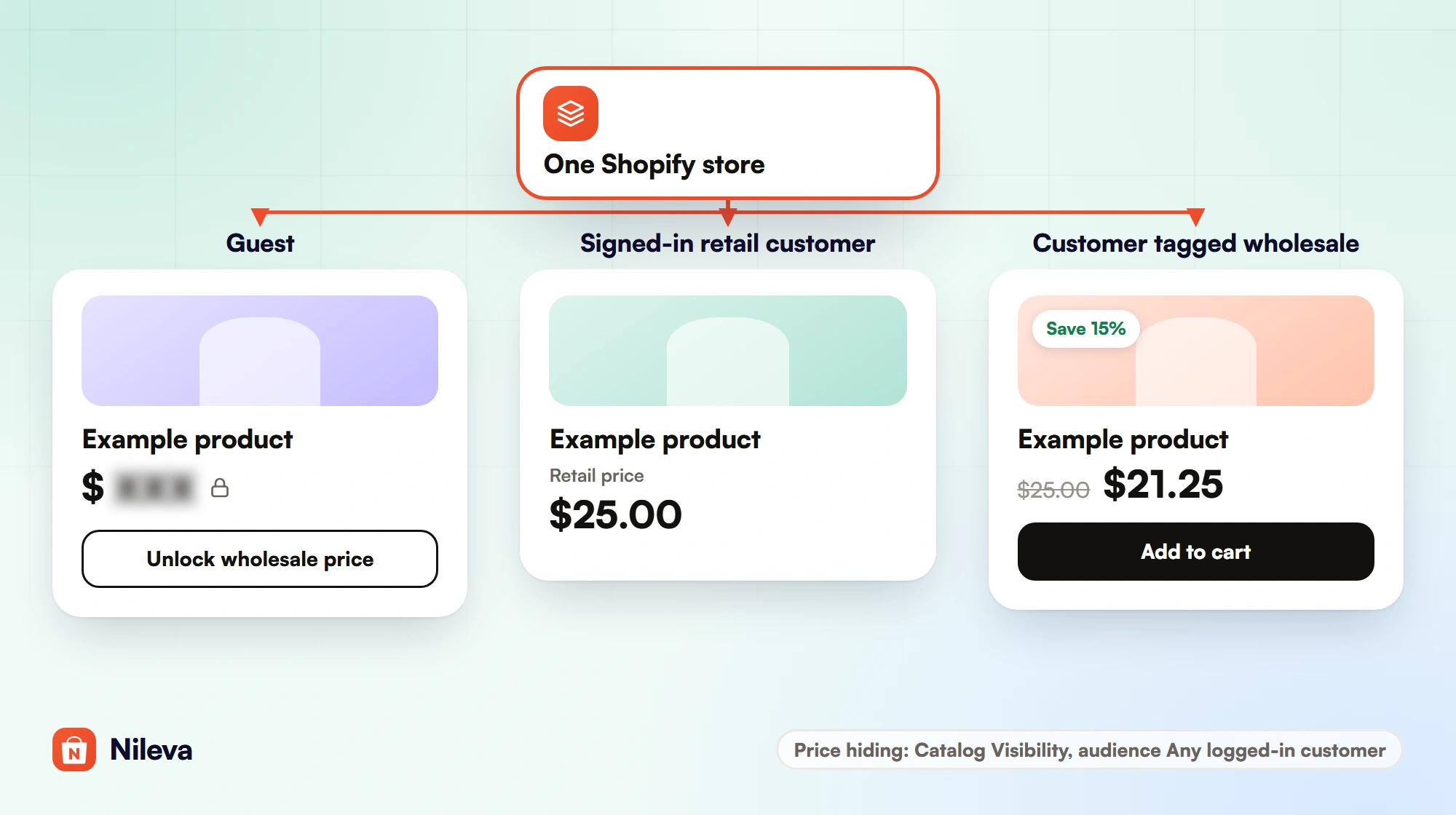
- Prices by customer tag or group. A rule gives Percent off, Amount off or a Fixed price to customers with a tag such as
wholesale, to a Customer Group, or to every logged-in customer, on all products or chosen products, collections and product tags. - The price shown before checkout. The B2B Prices app embed shows the buyer's price on the product page, collection and search cards, either with the retail price struck through or in its place. No theme files are edited.
- The same price at checkout. Checkout applies it through Shopify's discount function, with no coupon codes.
- Prices hidden from guests. On the app's Advanced plan, Catalog Visibility masks the price for anyone outside your audience and shows an "Unlock wholesale price" button that leads to Shopify's sign-in.
- An application form with approval. Buyers apply on your storefront, you approve or reject, and approval can place them in a Customer Group.
- Payment-term defaults by group. With the app's Draft Orders, a Customer Group can carry a default term such as Net 60 for that group's orders.
The app's plans are Free, Essential at $10, Advanced at $30 and Platinum at $80 a month, each paid plan with a 7-day free trial once per store (billing and plans). For the whole picture of wholesale pricing methods, see our complete guide to Shopify wholesale pricing.
When native B2B alone is enough
If your trade buyers are a small number of businesses that fit into up to 3 price levels, and what they need is net terms, quantity rules, price breaks and a quick order list, native B2B on Basic, Grow or Advanced may cover you without any app. Set each buyer up as a company, assign the catalogs, and add payment terms on the company location.
When an app fills the gap
An app earns its place when the native model doesn't match how your buyers arrive. Typical cases:
- You have many individual trade buyers, such as salons or studios, and don't want to create a company record for each one just to give them a price. A tag or a Customer Group does it.
- You want price tiers, for example Bronze, Silver and Gold, that you can move a buyer between by changing one group.
- You want guests to see no price at all until they sign in.
- You want to vet applications with your own questions before anyone gets trade prices.
For the targeting options in detail, read about pricing by customer tag or group, or compare wholesale apps side by side.
How to start selling B2B without Plus: five steps
These steps use the app and work on Basic, Grow, Advanced or Plus. The quick-start guide has the same flow with screenshots.
- Decide who is a B2B buyer. Pick a tag such as
wholesale, or create Customer Groups with their own tags. Targeting a rule by tag or group needs the app's Essential plan; on Free, a rule can target every logged-in customer. - Create a wholesale rule. Go to Wholesale Pricing → Create rule, set the audience, choose a discount type (for example 20% off) and save.
- Add volume tiers. Go to Volume Pricing → Create rule and add tiers, for example 3 to 9 units at 5% off, 10 to 49 at 10% and 50 or more at 15%. Add the "Volume Pricing Table" block to your product template so buyers see them.
- Turn on the B2B Prices embed. In the theme editor, open App embeds and switch on Nileva B2B Wholesale.
- Add the registration form. Let new buyers apply, and approve them into the right group.
Then sign in to your storefront as a test customer who carries the tag, not as the store admin, and open a product page. You should see the wholesale price on the product page and on collection cards.
Frequently asked questions
Do I need Shopify Plus for B2B?
No. Shopify B2B runs on Basic, Grow, Advanced and Plus (Shopify plan features). Plus adds unlimited catalog assignments, direct company catalogs, deposits and partial payments.
Can I offer net 30 terms without Shopify Plus?
Yes. Net terms are on all four B2B plans. Only setting terms from a checkout Function (paymentTermsSet) is limited to Plus.
Does Shopify Basic have wholesale pricing?
Yes, through B2B catalogs with percentage adjustments or fixed prices and quantity price breaks, with up to 3 catalog assignments. A wholesale app adds pricing by customer tag or group on Basic as well.
What is still Plus-only for B2B?
Direct company catalogs, more than 3 catalog assignments, deposit requirements, partial payments and payment requests per fulfillment. Changing the theme by customer type is also Plus only.
Is the Shopify Wholesale channel still available?
Shopify's Help Center no longer has a page for it: its old help page now opens the Shopify B2B section. B2B is the wholesale tool Shopify supports today, inside your main store.
Try it
Add wholesale pricing to the plan you already have, starting on the Free plan.


